|


|
OP Help |
|
|
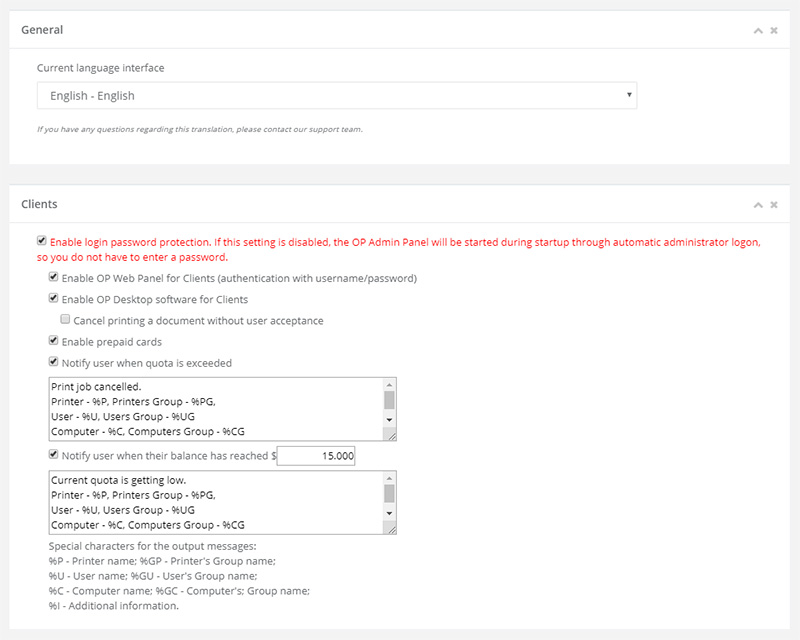
OP SettingsThe Settings form allows the configuration of OP settings. To edit the OP settings, click on the Settings in the Navigator Pane. OP is designed to add an extra level of protection to your OP’s administrator back-end, asking for a username and password before accessing the administrator login page. You can remove your OP password as long as you are the only person with access to OP. Removing your password will allow you to completely bypass the logon process. Note: Disabling password prompts might be a security risk. Multi-language Support (experimental). OP supports numerous languages to increase its ease of use. The languages supported include: English, Chinese (Simplified), Chinese (Traditional), Dutch, French, German, Italian, Japanese, Korean, Portuguese, Russian and Spanish. OP will auto-detect the language used by the operating system. The default interface is set to English. The OP Clients provide additional features that may be of use to users (display the user's account balance, print log and prepaid cards). OP includes notifications to alert users
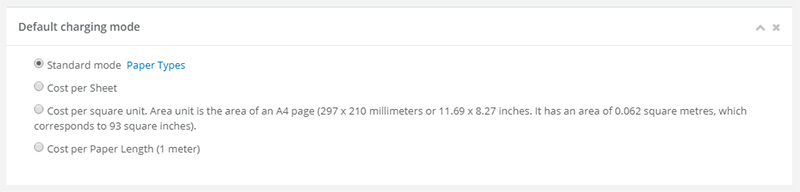
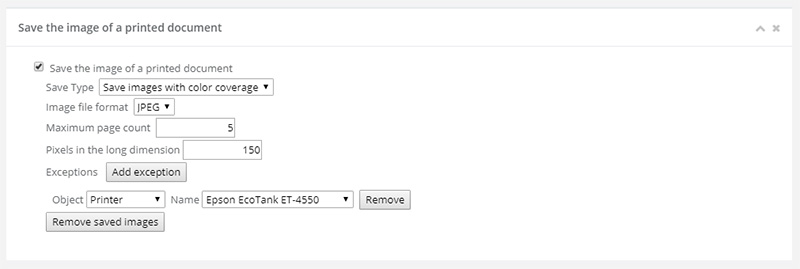
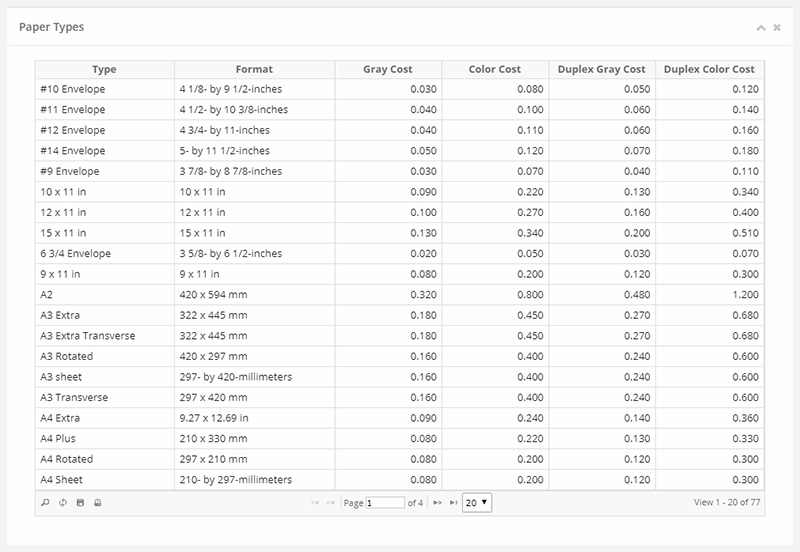
about printing information: By default, each paper size has its own cost. If a program does not know the size of the paper (especially for network printers), then it applies the cost of printing by default. All print jobs can be saved and viewed later as an image. Print jobs may have also have a preview image available. When printing a document it will be saved as an image. You have the option to save the file as a JPEG, GIF, PNG or TIFF. You can define your own logo image and custom link in OP Web Admin Panel. Click the Settings in OP Web Admin and locate the ‘Logo Image Settings’ field. In the field use the ‘Upload File’ button to upload your logo image. To add a custom link enter URL in the ‘Link’ text field. The default logging policy is used to overwrite logs as
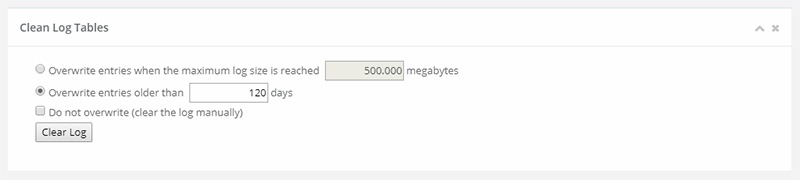
required, providing that the size of events is at least 500MB. This
policy can be customized for different logs. The log entry options
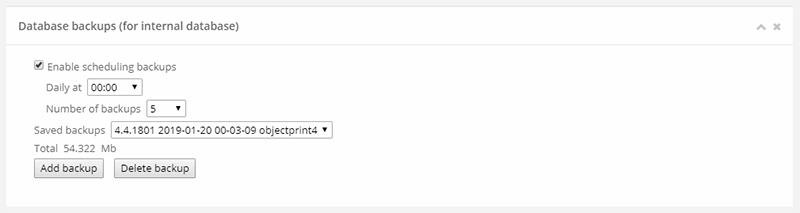
include: Create a backup of the OP database (local storage). You can initiate the OP database backups using the Scheduling settings to call a backup script.
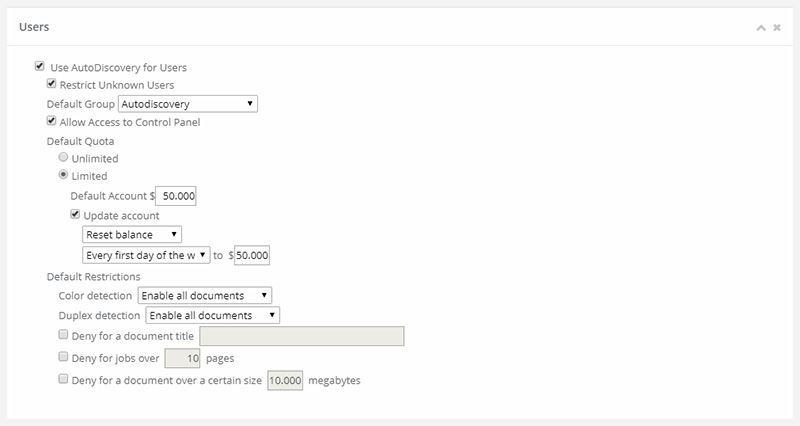
Default User Tab (Default Printer/Computer are equal)
OP can apply many settings on a per user basis, but it also offers a default user setting to allow the simple specification of certain settings applicable to many users. The default user settings include Default Quota and Default Restrictions. OPer provides a feature for detecting unknown users who can then be easily added to a list of users with default settings. Reports
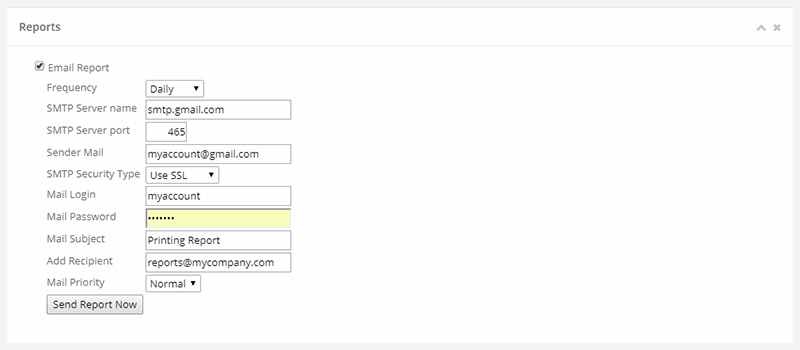
OP lets you choose a report in the following formats: Flash, Html. You can schedule a report of printer usage to be sent via email on one of the following schedules: Default Paper Types Cost
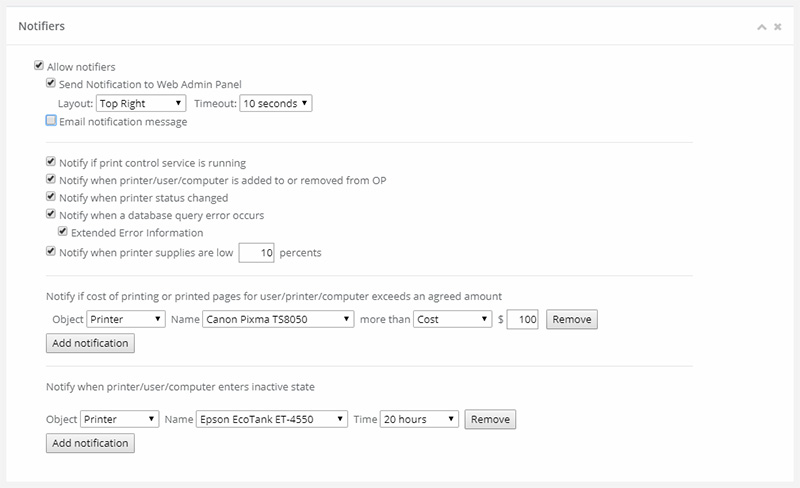
Using the Default Paper Types Cost Tab, a default cost per page can be assigned to the printers. This setting can be changed at a later date on a per printer basis. Notifiers Notifier will enable administrators to receive message
notifications from OP.
About Tab
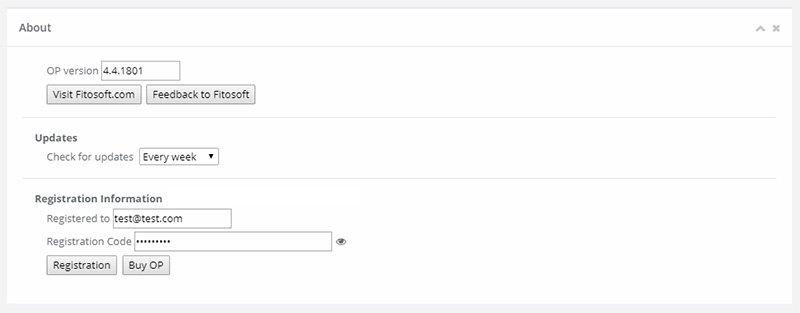
OP Update can be used to schedule automatic update checks. By default, it is set to automatically check every week. Alternatively, scheduled checks can be switched off. |
| OP Web Help |