|
|
|
OP
Interface
Go to the following web address in your web
browser: http://<server_name>:1561/, or use
https://<server_name>:1562/ where
<server_name> is the IP address or Domain Name System (DNS)
hostname.
Every feature of OP can be used via the
web application. End-users don't need to download or install any
software onto their machines. The web application is served over HTTPS,
allowing you to secure communications with a SSL certificate.
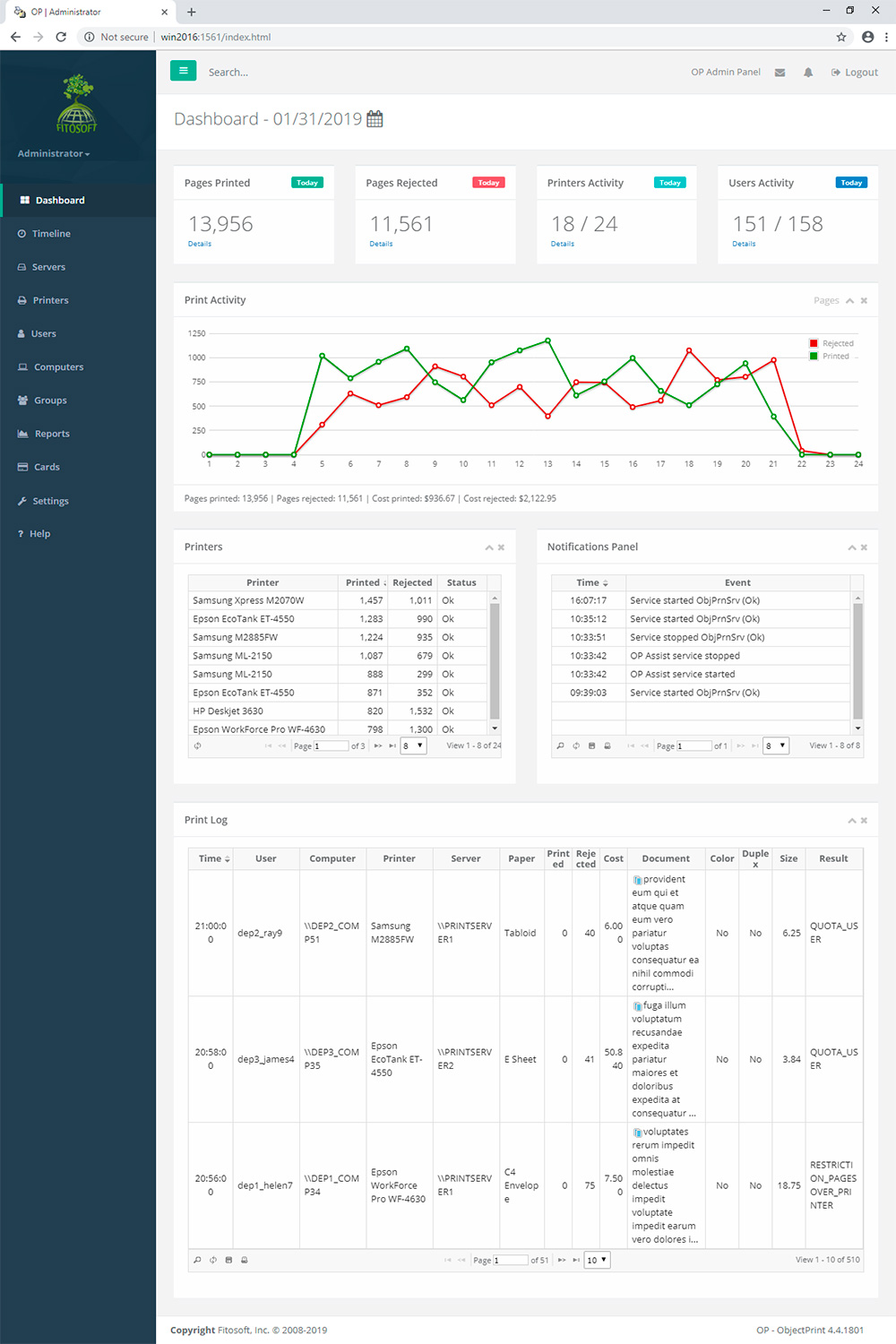
The web interface of OP is user-friendly. The main window consists of Header, Navigation Pane and Content Area:
|
Header
Use the header to quickly access all important aspects of the
software: Servers, Users, Printers, Computers, Groups, Reports,
Cards and Settings. Header shows the user's login and logout information.
Navigation Pane
The left navigation pane provides quick
links to different tasks and reports in OP. The components
present in the navigation pane depend upon the area that is currently
selected.
Content Area
The OP web interface is grouped into task oriented
sections. These sections – denoted in the Header – are Servers,
Users, Printers, Computers, Groups, Reports, Cards and Settings.
Use the content area to view your current location in the
interface, view your configuration, and administer your OP
settings.
All groups, printers, users and computers are managed by
OP. The list of objects includes:
• Enabled|Disabled status
• Current balance, quota and restriction
• Cost of print, number of printed pages, rejected pages and
rejected(saved) cost for the current day/week/month
The bottom status line shows the user's registration information.
|


