OP
Clients
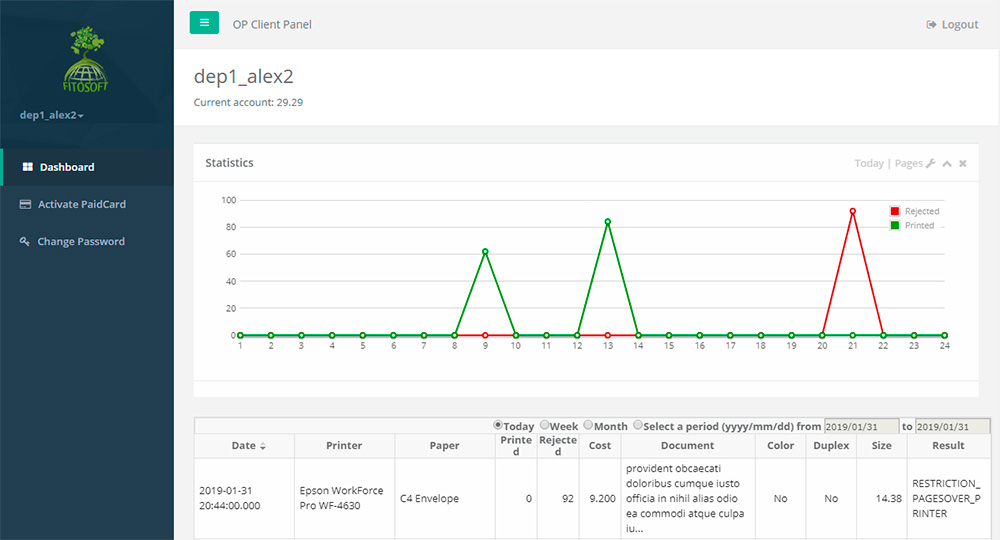
With OP Client, a user can connect to different
OP servers that provide information on current
user/computer print activities.
 OP Server uses port 1562 (TCP). This
port must be accessible from the Internet on the machine running
the OP Client. OP Server uses port 1562 (TCP). This
port must be accessible from the Internet on the machine running
the OP Client.
 To edit the OP Client settings, click on the
Settings icon in the Navigator and select the OP General
Settings Tab. To edit the OP Client settings, click on the
Settings icon in the Navigator and select the OP General
Settings Tab.
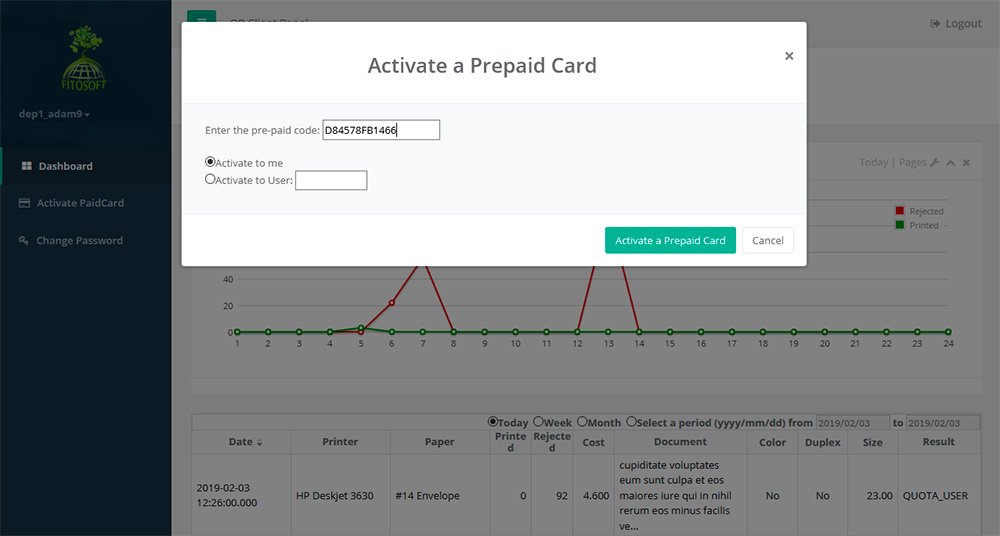
To increase the balance of an OP Client Account, click
the ‘Activate PaidCard’ button. If a user has a valid prepaid card, type a code
in the space provided, select the appropriate account and the OP Server
and click on the “OK” button to update the subtotal.
If you wish to enable the OP Client for this server, check
‘Enable OP Client’ on General Settings.
Click ‘Enable Prepaid cards’ to enable prepaid cards.
|


