OP
Quotas and Restrictions
OP is used to control and restrict
users/printers/computers/groups to ensure sensible print use by
allocating a quota. In order to specify a credit limit, select a
user/printer/computer/group from the Navigator panel.
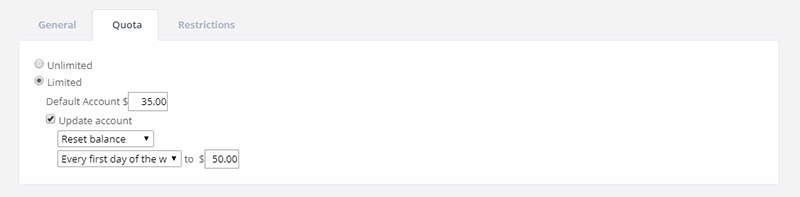
Enter the account balance to be allocated to a
user, printer, computer or group. The quota can be limited or
unlimited. The quota panel can be used to automatically
increase/reset the credit limit according to the amount and
schedule specified.
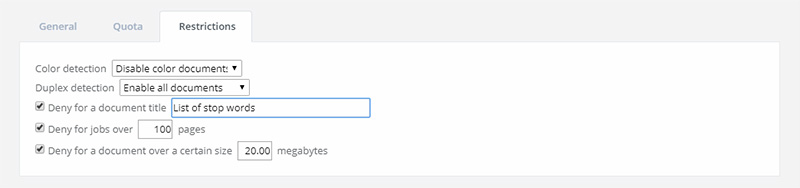
OP offers advanced filter options to
filter or restrict print jobs using a set of rules. There are three
options to restrict printing:
• Deny color document printing
• Deny the printing of a particular document title (stop print jobs
from specific programs or file types)
• Deny printing over the maximum number of pages
Printing quotas and restrictions can be set for
every user/printer/computer/group.
|


