OP
Printers
Printers Workspace
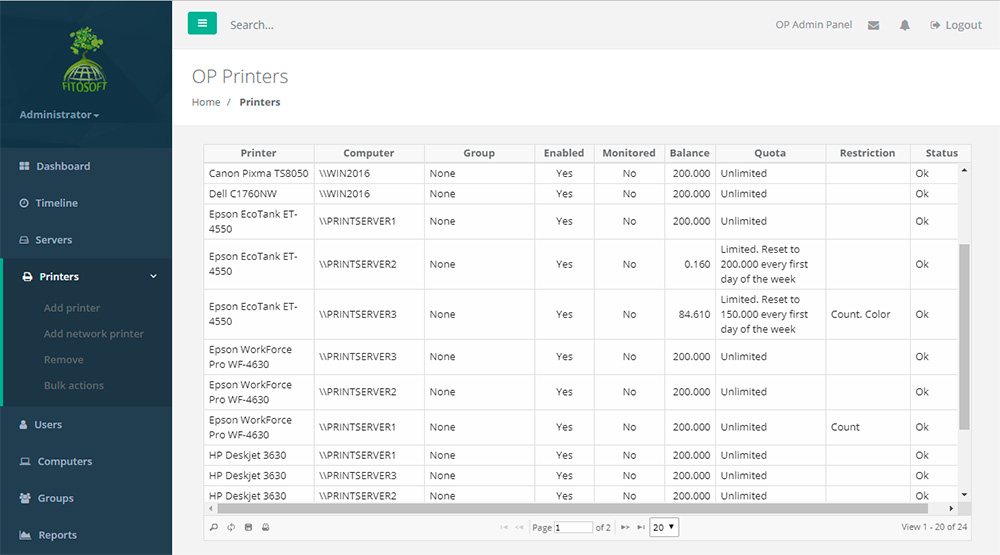
• View a list of all installed local and network printers
• Add and remove a printer from a list of printers
• View and change a printer's credit balance
• Export list of printers to a HTML file
Add and Remove Printer in the Printers
List
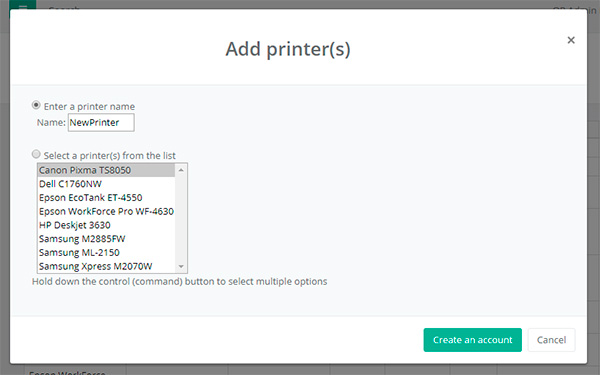
To Add a Printer:
Click the Create Button.
Enter the name or select a name from a list.
Click OK.
To Remove a Printer:
Click the Remove Button.
Enter the name or select a name from a list.
Click OK.
Printer Workspace
• View a
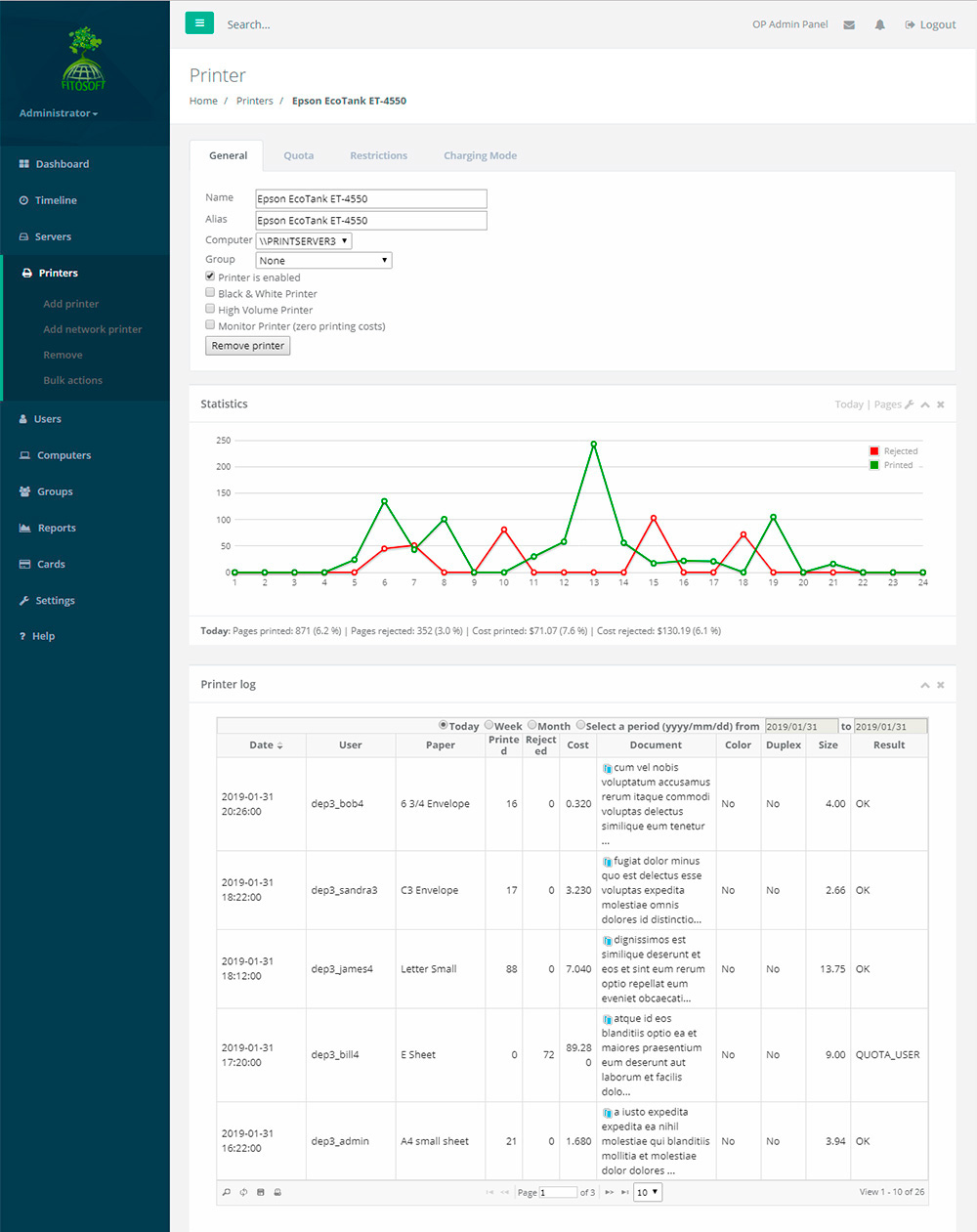
printer's printing history and statistics
• List a printer's detailed log of printing activity
• Change the printer status, quota and restrictions
• Export a printer's info to a HTML file
• Creating printer aliases
A printer alias is an alternative name for a printer. To add an alias for an existing printer, enter the alias for the printer.
If you choose Monitoring mode, access to a printer is
never denied.
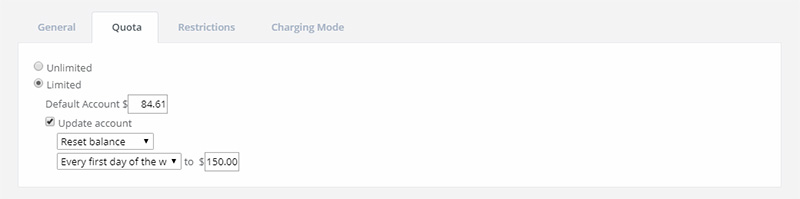
OP allows you to limit the amount of pages that may be
printed by a printer. The current account represents the total cost available
for printing. The quota can be turned off if you do not wish to limit customer
printing. OP allows you to reset a quota to a fixed amount at the end
of each day, week or month. There is also the option of increasing the balance
with OP, which allows their existing balance to roll over.
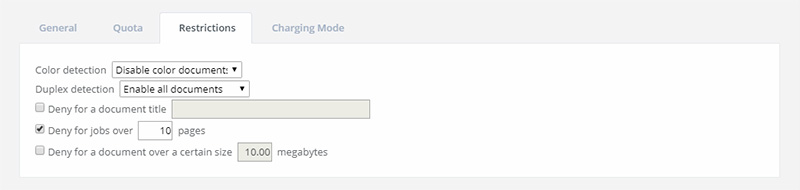
OP offers a variety of restrictions (rules) that can be
enabled on a per printer basis. Printing is cancelled if the print exceeds the
maximum allowable print limit specified for a printer. Further restrictions
settings include the count of pages, the document title (e.g., restricted
words), color and the print job size.
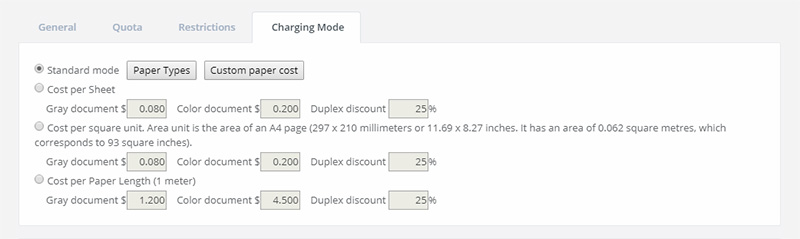
Setting the cost per a page. OP allows you to charge for print jobs
based on the size of the paper used to print the job. For example, you
could set a cost of $0.08 per page for A4 sized pages and $0.10
for legal-sized pages. OP provides a variety of ways to charge for black-and-white
and color printing using different modes: standard, cost per sheet, cost per square unit or
cost per paper length.
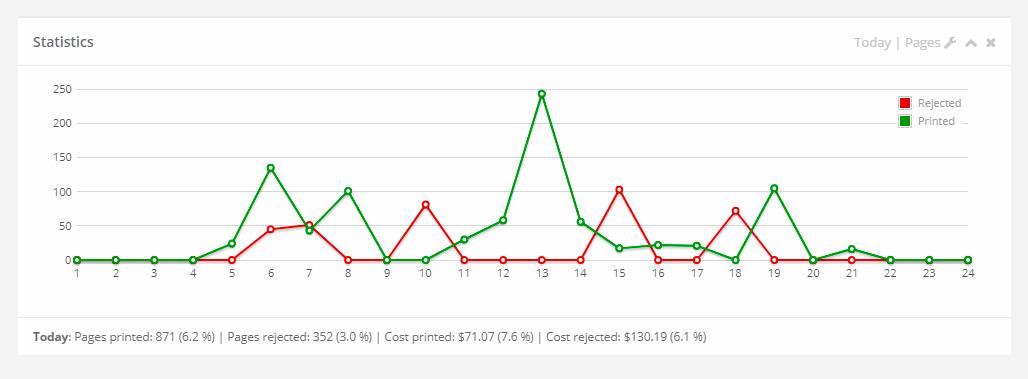
Print statistics. The report allows you to know how
many pages your printers are printing or cancelling.
Bulk Actions
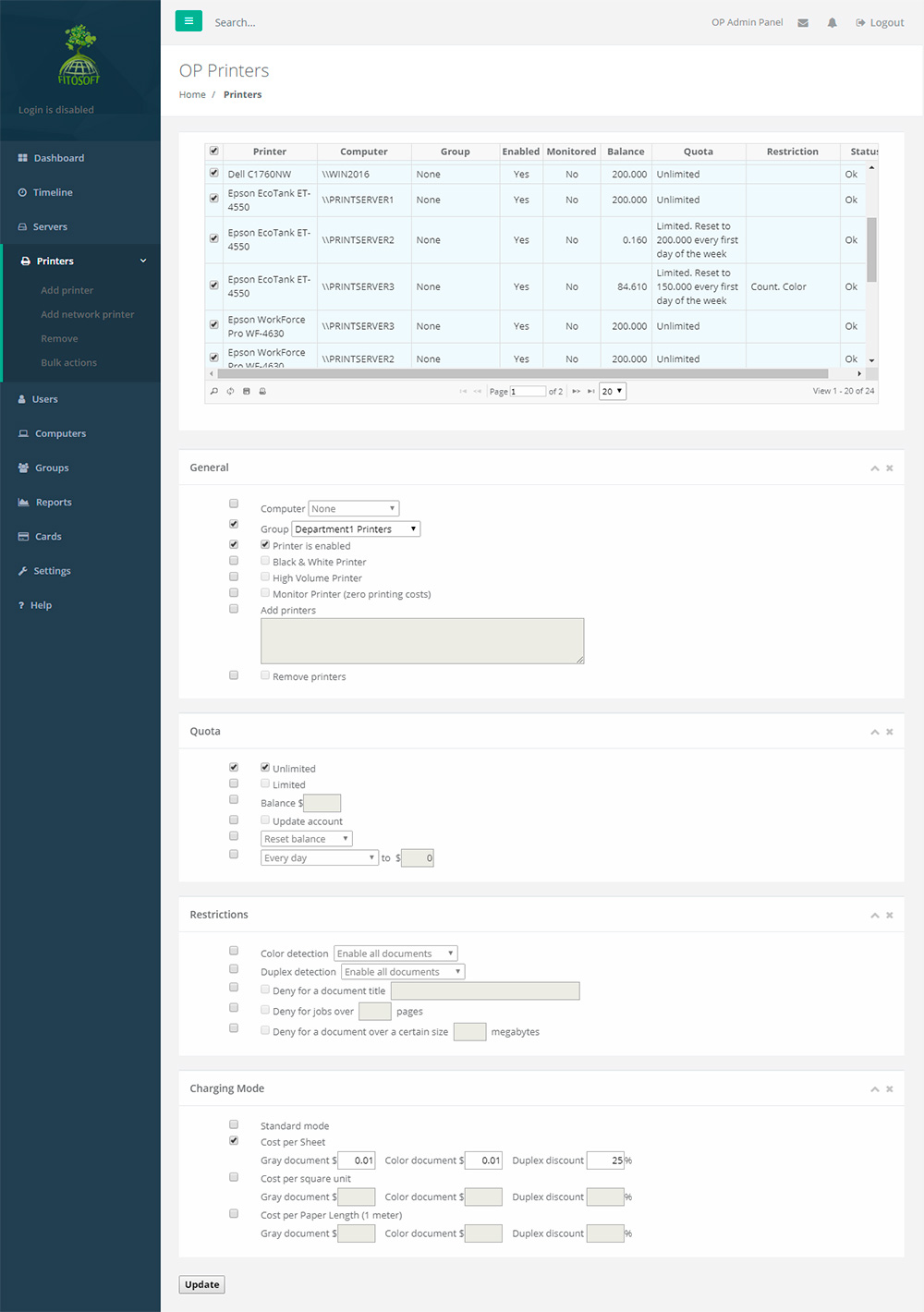
Bulk actions lets you
modify a chunk of data at once. This is dangerous operation and should only be
done when you need to modify printers data at once.
|